

Summer Registration 2026
All Summer Youth Camp Registration is open!! Get your spot while you can!
Register today!
Important Registration Steps:
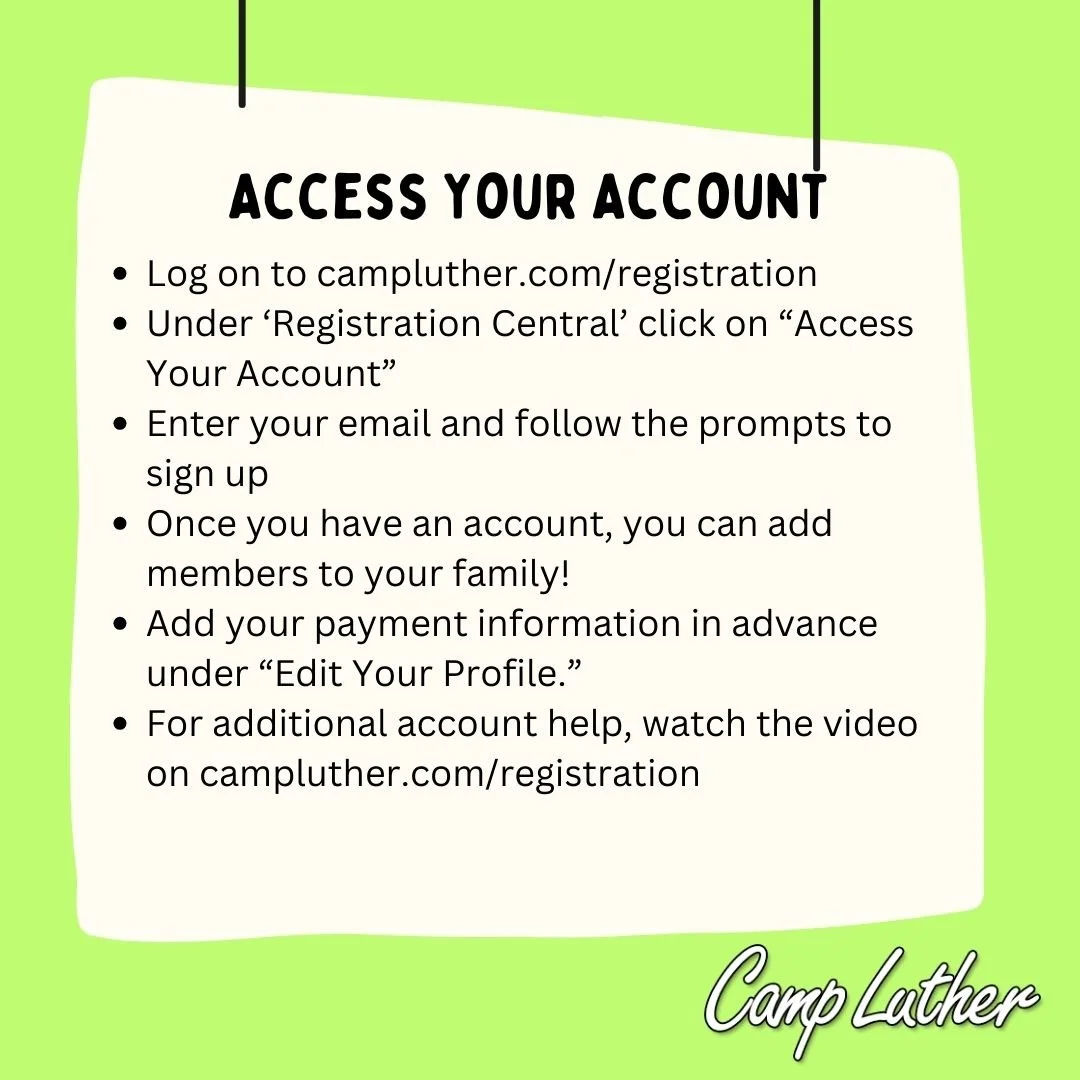
Access your account! Click the button below to create your account!
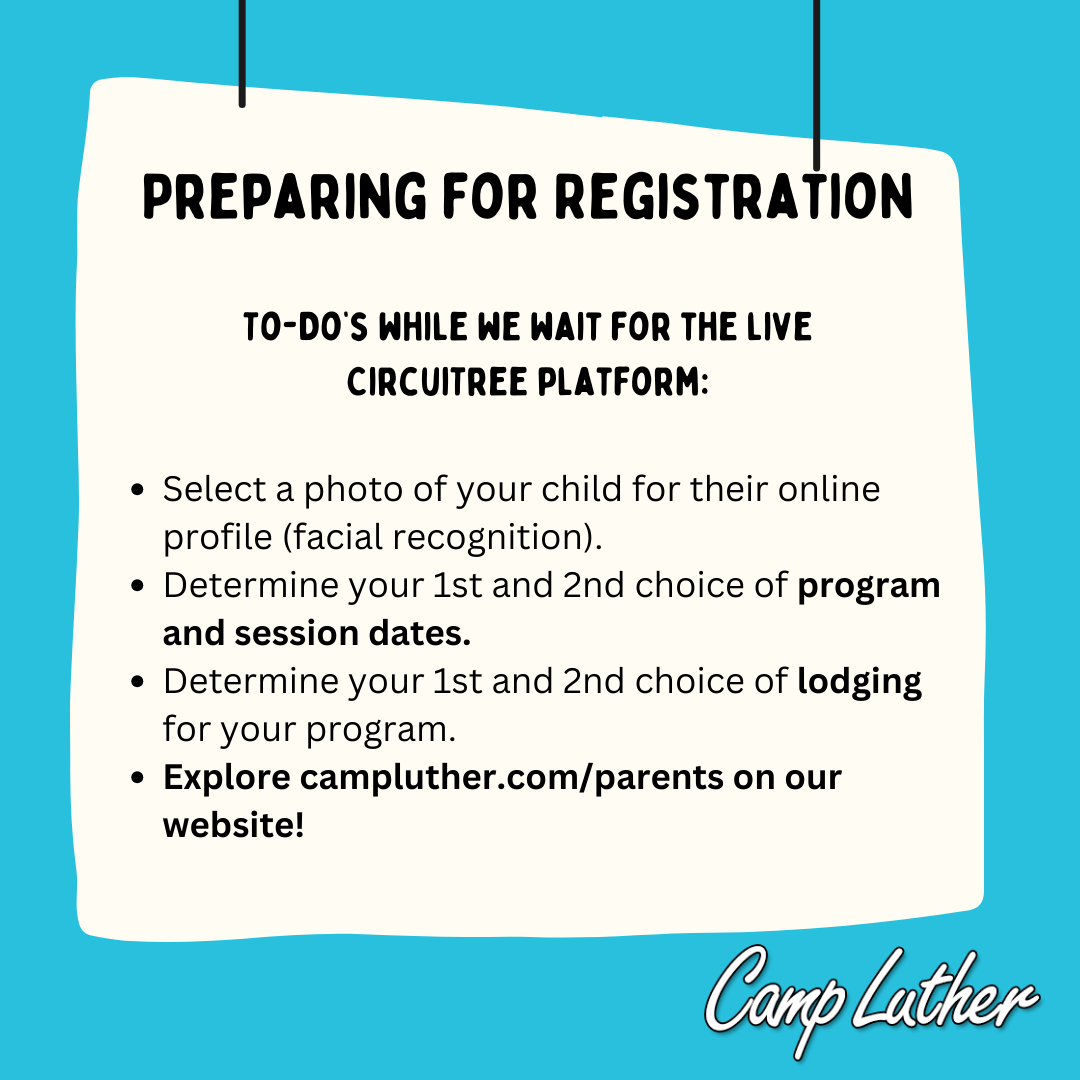
In our new registration system, CircuiTree, you will be creating an account for your whole family. As you create your account, enter your personal information as the administrator/head of household. Then, add any family members (child, grandparent) under your family!
Select your camp and housing! Find out more information about each of our different programs here.
Register for camp! Starting February 24 (Kindercamp/Quest/Impact) and February 26 (Explorer/Pathfinder/Trailblazer) programs will be open for registration. Use the button below to register online!
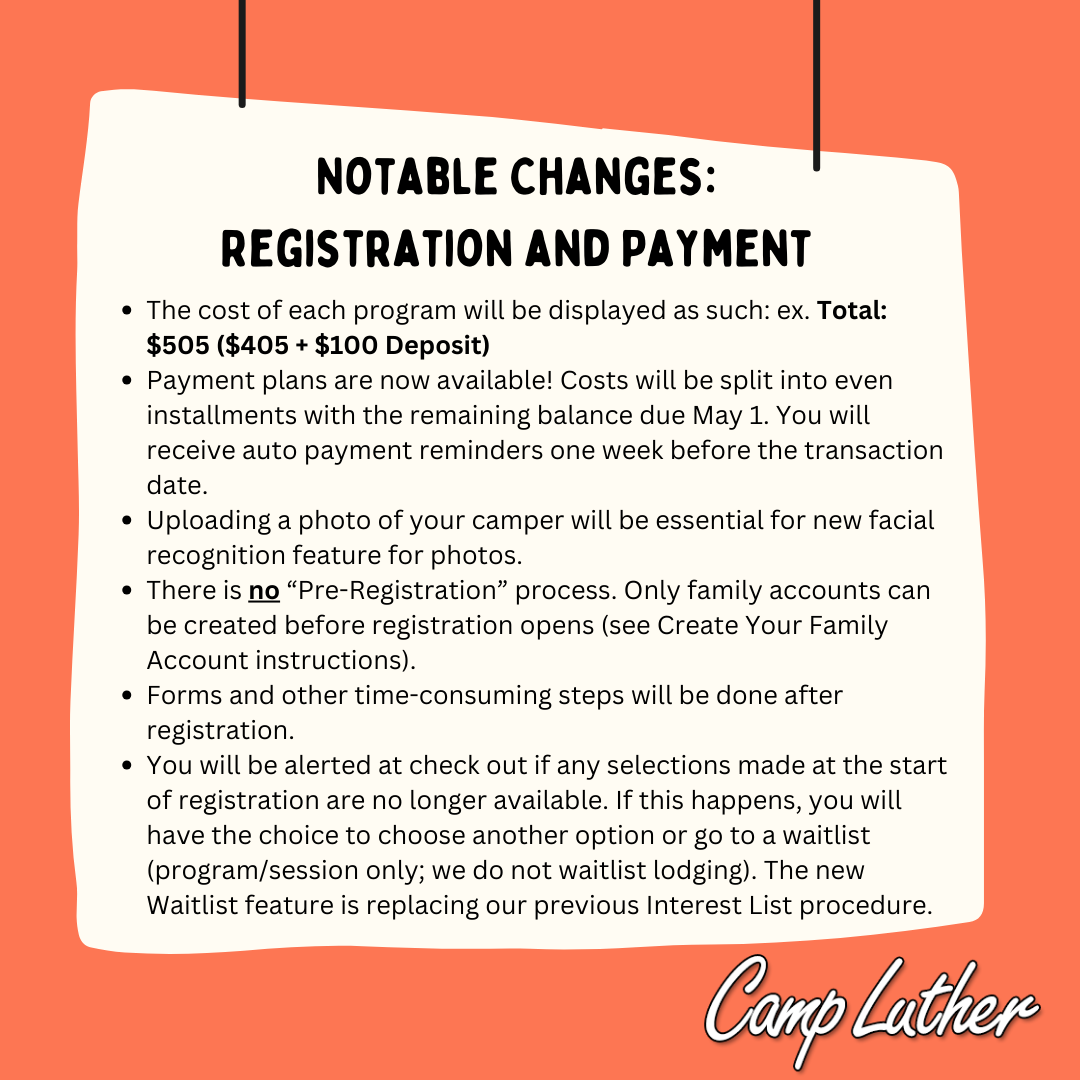
Pay your deposit! In order to be officially registered, make sure to pay your $100 deposit as part of the registration process.
***Transfer/promo codes valued at less than 100% do not cover the $100 deposit required at checkout.
Pay in full! Full payment of your registration fee is due by May 1st.
Prepare for an amazing summer at camp! Find out more information about preparing for camp here.
Need help with CircuiTree? Click here for videos to assist you with your account!
New Registration Software for 2026!!
For Christmas this year, we got a brand new registration software… CIRCUITREE!! (Truly a gift that keeps on giving!)
This software will allow us to make the process of registering youth and family campers, retreat groups, cottage guests, and volunteers more smooth and more efficient! We recognize in the past this has been a frustrating experience and we hope to change that in the new year with our new software system!
Stay tuned for updates and ‘How to’ tutorials as we look to improve in this area of our ministry! Our website will be updated with more information very soon.
So that we can do this transition to the new software well, we have pushed back our summer registration slightly to give us time to switch over and test our new system.
How to Register
Our registration is completely online. Register, fill out your forms, and pay your balance all in one place!
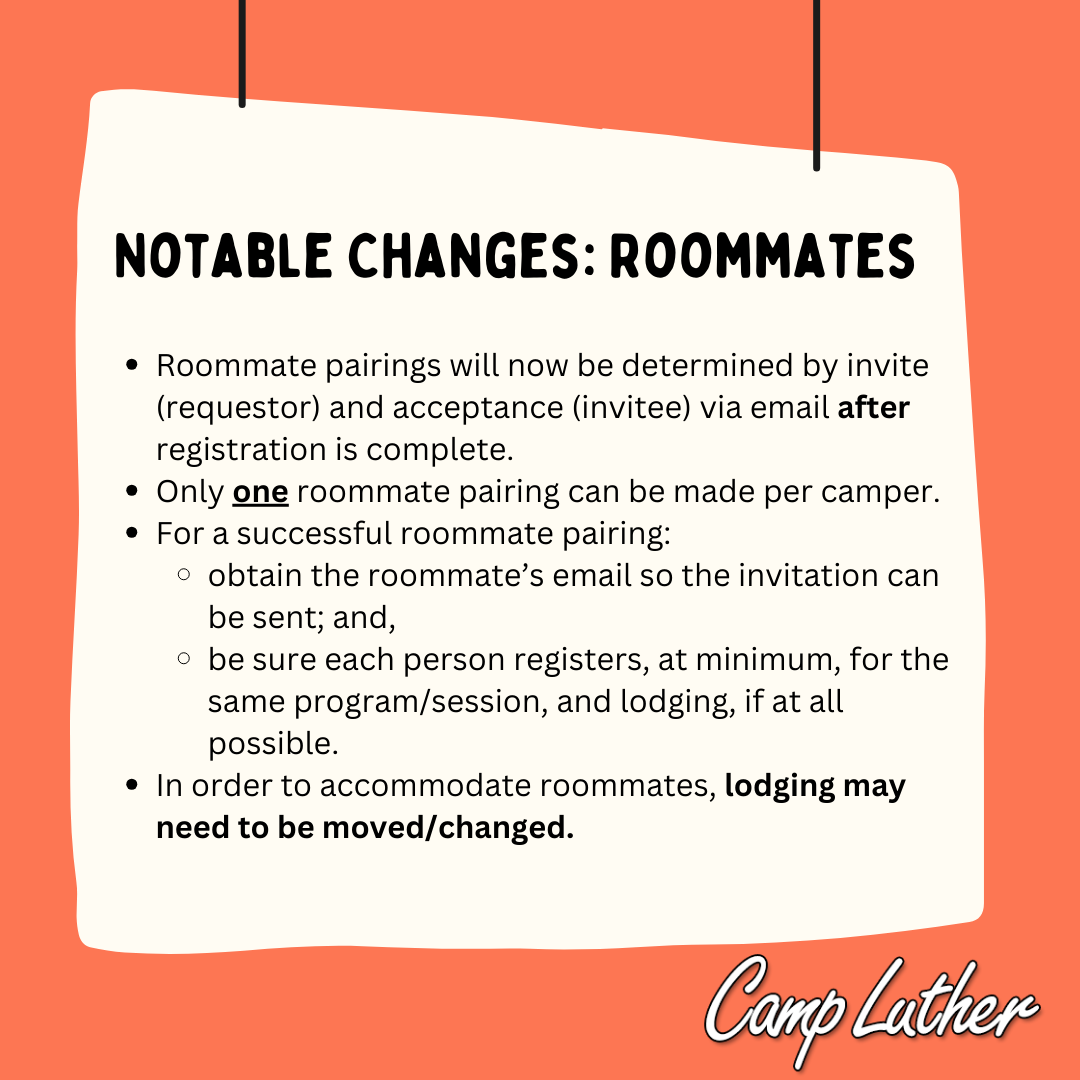
Register Online: Click the button above to access our online registration system. If you have previously created an account for our online registration system, please use that account to complete the registration process, otherwise you will need to create a new account. If you cannot remember your username or password please use the “Access Your Account“ button to reset your access. Once in the system, follow the instructions to register for your chosen program.
Registration Questions: Please don’t hesitate to let us know if you encounter any problems with the registration process. We’re here to help! Click the button below, email office@campluther.com, or call us at 715-546-3647. (If you have a question specifically related to your username or password for your online account, the fastest way to get a response is to email office@campluther.com)
Please review our registration policies prior to registering your camper

For the full list of policies, visit here.